Fish & Spins mobile casino and app options
 Available in GB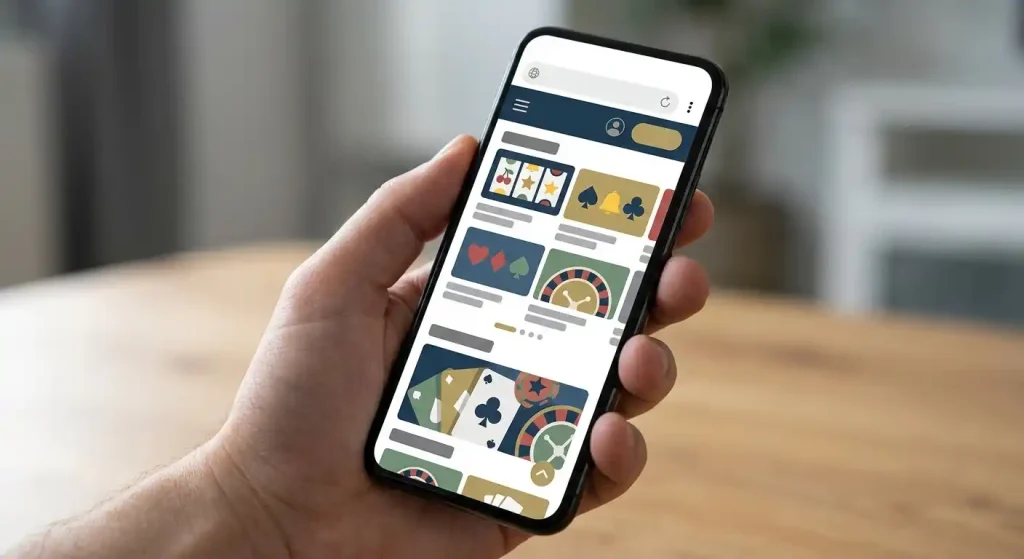
Mobile-browser access and app status
Fish & Spins can be used through a mobile web browser, so you do not need a native app to reach the casino from a phone. The current site exposes the same core account entry points and casino catalogue through the web experience, including slots and table games. No official Fish & Spins native iOS or Android app was verified in the official app stores when last checked, so this guide does not present the responsive website as an app.
For most users, the practical route is therefore simple: open the official Fish & Spins website in Safari, Chrome or another modern mobile browser, sign in there and use the browser-based interface. If a native app is released later, it should be confirmed in an official store rather than downloaded from an unverified APK or third-party page.
Table of Contents
- Mobile website versus native app
- What you can do from the mobile browser
- Why the lack of a verified native app is not the same as no mobile access
- Using Fish & Spins on iPhone
- Using Fish & Spins on Android
- Games on a smaller screen
- Deposits and withdrawals from a phone
- Account access and support on mobile
- How to verify a future Fish & Spins app safely
- Fish & Spins mobile questions
- The simplest way to use Fish & Spins on a phone
- Recommend
Mobile website versus native app
| Question | Current position | What to do |
|---|---|---|
| Can Fish & Spins be used on a phone? | Yes, through the mobile web experience | Open the official website in a current browser. |
| Are slots available? | Yes | Browse the casino catalogue from the phone interface. |
| Are table games available? | Yes | Use the games navigation and recheck individual titles at the time of play. |
| Is an official native iOS app verified? | No current official-store listing verified | Do not assume an app exists because a third-party page says so. |
| Is an official native Android app verified? | No current official-store listing verified | Avoid unverified APK downloads. |
| Support | 24/7 live chat is publicly stated | Use support if a mobile account or payment screen does not behave as expected. |
A website runs through the browser and updates on the operator’s server side. A native app is distributed through an app store or an explicitly verified installation route. Calling both of them an “app” hides a meaningful security and usability difference.
What you can do from the mobile browser
The mobile site is designed around the same main tasks as desktop access: browse games, enter the account area, view promotions, use support and reach payment functions. Fish & Spins publicly lists slots and table games, and the mobile browser is the natural route for reaching those categories without installing software.
The useful test is not whether a page technically loads on a phone, but whether the important controls remain usable at the screen size you actually have. Check that navigation, balance information, game filters and account controls can be reached without constant zooming. For streamed content, connection stability becomes more important because live tables place more demand on bandwidth than many basic slot interfaces.
If you want catalogue detail before using a phone, the Fish & Spins games guide covers the broader library, while the Fish & Spins live casino page explains the extra considerations around streamed tables.
Why the lack of a verified native app is not the same as no mobile access
Casino reviews often blur these two ideas. A user may search for “Fish & Spins app” when the real goal is simply to play on an iPhone or Android phone. A responsive mobile website can satisfy that goal even when there is no separately installed product.
The browser route also avoids one common security problem: downloading an APK from an unfamiliar third-party site because it uses the casino’s name. Without an official store listing or another official distribution channel, there is no reason to treat a random download as genuine. For Android users in particular, installing packages from unknown sources can expose the device to software that has nothing to do with the actual casino.
If Fish & Spins launches a native app in future, the verification standard should be simple: confirm the developer and listing through an official store or a direct official-site link before installing it.
Using Fish & Spins on iPhone
On an iPhone, the current practical route is Safari or another supported browser. Open the official site directly, sign in and use the responsive pages rather than searching for a download simply because the word “app” is convenient shorthand. The public site already exposes casino navigation and account entry through standard web pages.
If you prefer a more app-like shortcut, iOS can place a website shortcut on the Home Screen through Safari. That still does not turn the casino into a native App Store application, but it can reduce the number of taps needed to open the site. The distinction remains important for updates, permissions and trust: the shortcut launches the website, while a native app would be a separate installed package.
Using Fish & Spins on Android
Android users can take the same browser-first approach with Chrome or another current browser. There is no need to enable installation from unknown sources just to access the casino.
A Home Screen shortcut can provide quick access without side-loading software. If a future official Android app appears, verify that the store listing is linked from Fish & Spins or otherwise clearly attributable to the operator before installing. Until then, the website is the cleaner and more defensible route.
Games on a smaller screen
Fish & Spins publicly offers slots and table games, but those categories do not behave identically on a phone. Slots generally adapt well because the core controls fit a compact layout. Table games can require more attention to bet controls and information panels, while live dealer games add a video stream and potentially extra controls around the table.
For that reason, a mobile user should test the exact game rather than assume the entire catalogue feels the same. Rotate the device if needed, check that important controls remain visible and avoid playing when the connection is unstable. The casino may be browser-accessible, but the game provider still determines much of the in-game mobile interface.
The dedicated Fish & Spins live casino guide covers provider and table availability without turning this page into a second games review.
Deposits and withdrawals from a phone
The mobile browser can also be used to reach account and payment areas, but banking deserves the same checks as desktop use. Fish & Spins supports GBP and publishes general payment rules, including identity checks that may be required before a payout. A smaller screen does not change those rules.
Before confirming a transaction, read the amount, currency and method details carefully. Mobile interfaces can compress information into expandable panels, so it is worth checking the full transaction summary rather than tapping through quickly. The Fish & Spins payment methods guide explains supported payment categories, while the withdrawal child page covers cashout limits and verification dependencies.
If a payment option is missing on mobile, do not assume it is permanently unsupported. Account status, residence and payment-provider rules can affect what the cashier shows. Using 24/7 live chat support is more reliable than substituting an unofficial payment workaround.
Account access and support on mobile
Fish & Spins publicly states that live chat support is available 24/7. That is useful on mobile because browser sessions can fail for ordinary reasons such as expired cookies, interrupted connections or a login step that needs to be repeated. Support availability does not guarantee an instant resolution to every account issue, but it provides a direct route when the mobile session itself is the problem.
Keep account security habits the same as on desktop. Use your own device where possible, protect the device with a screen lock and avoid saving credentials in a shared browser. If you are using public Wi-Fi, remember that convenience is not the same as privacy. These are ordinary account-security precautions rather than Fish & Spins-specific restrictions.
For registration and login structure, the Fish & Spins account guide goes deeper without repeating the mobile discussion here.
How to verify a future Fish & Spins app safely
- Start from an official source: look for an app-store link on the operator’s own website.
- Check the developer identity: the publisher shown by the store should make sense for the operator.
- Avoid third-party APK mirrors: a matching icon or brand name is not proof of authenticity.
- Read the store permissions: unexpected access requests are a reason to stop and verify the listing.
- Do not confuse a Home Screen shortcut with an installed native app: a browser shortcut is still the website.
This approach is intentionally conservative. It is better to use the verified web version than to install a package that has not been linked to the casino through an official channel.
Fish & Spins mobile questions
Can I play Fish & Spins on my phone?
Yes. The current practical route is the mobile website through a modern browser.
Does Fish & Spins have an iPhone app?
No official native iOS app was verified when last checked. Use the official website unless a genuine App Store listing is confirmed later.
Does Fish & Spins have an Android app?
No official native Android app was verified when last checked. Avoid unverified APK files and use the browser version.
Can I access slots and table games on mobile?
Fish & Spins publicly offers both slots and table games, and the browser-based casino is the current mobile route for those categories.
Can I use support from my phone?
Yes. Fish & Spins publicly states that live chat support is available 24/7.
The simplest way to use Fish & Spins on a phone
Use the official website in a current mobile browser and treat it as a responsive casino site rather than a verified native app. That route gives you access to the core catalogue, account functions, payments and support without side-loading software. If a genuine iOS or Android app appears later, verify it through an official store and an operator-controlled link before installing. For now, browser access is the clearest way to separate real Fish & Spins mobile use from unverified downloads.
For broader context, see the Fish & Spins UK review.